Whether you’re visiting family, heading to the beach, or spending time away from home, your ForeseeHome device can often travel with you.
Here are a few helpful tips to keep in mind before your next trip.
Your ForeseeHome device can be an additional carry-on item
Because ForeseeHome is a medical device, it may be allowed as an additional carry-on item and may not count toward your regular carry-on limit. When traveling by plane, we recommend keeping your device with you rather than packing it in checked luggage.
You can still test without Wi-Fi
No Wi-Fi or cellular connection? That doesn’t mean you can’t test. Your ForeseeHome device can store your testing information and upload your results once it is connected again. This means you can continue testing even if your internet connection is temporarily unavailable.
A phone hotspot may be an option
If your cell phone carrier allows hotspot use, you may be able to connect your ForeseeHome device to your phone’s Wi-Fi hotspot while traveling.
TSA Cares may be able to help
TSA Cares is a program that helps travelers with medical conditions, disabilities, or medical devices prepare for the airport screening process.
If you have questions about traveling with ForeseeHome, TSA Cares may be a helpful resource before your trip.
Need a travel letter?
We can provide an official letter explaining that ForeseeHome is a medical device. This letter may be helpful when traveling through airport security.
If we know you are pausing your testing for a vacation of 7 days or longer, we will automatically email you a travel letter, if we have an email for you on file.
You can also access the letter here:
TSA Assistance Letter
Unable to bring your device?
While we highly encourage continuous testing, we understand that it may not always be possible to bring your ForeseeHome device with you.
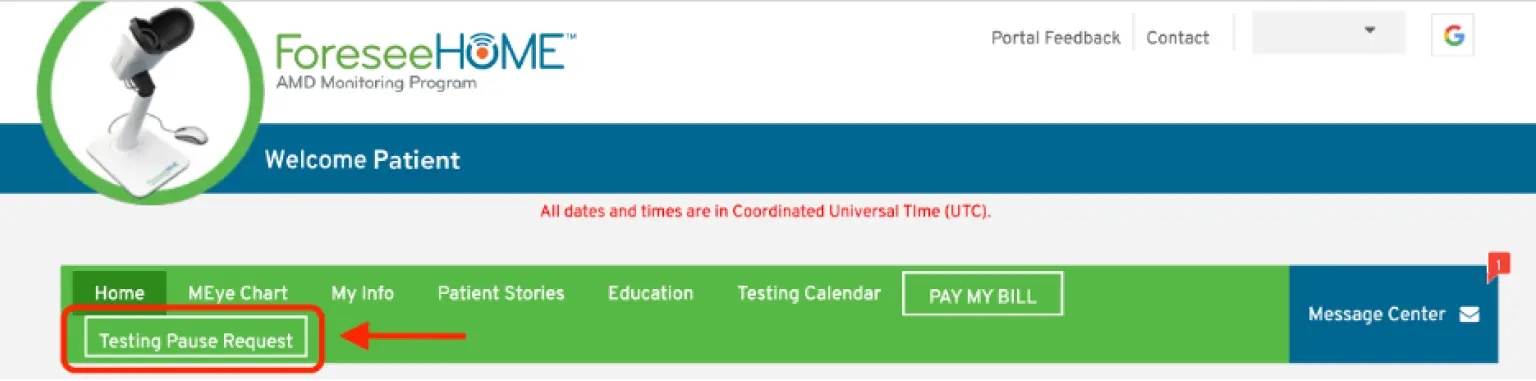
If you are traveling and cannot take your device, please let us know so we can note it on your account. Use your Patient Portal to submit a pause request.